lllyasviel
ControlNet SD 1.5 Soft Edge
Downloads
Model Report
Overview
ControlNet SD 1.5 Soft Edge is a member of the ControlNet 1.1 family, a suite of models designed to provide precise control over image generation in Stable Diffusion 1.5 through the use of auxiliary input conditions. The Soft Edge variant is focused on leveraging soft edge maps as guidance, enabling nuanced and robust control for synthesizing images with boundary-aware features. Sharing the same core architecture as ControlNet 1.0, the 1.1 release incorporates improvements in dataset quality, robustness, and output fidelity, with dedicated preprocessing options for optimal results.
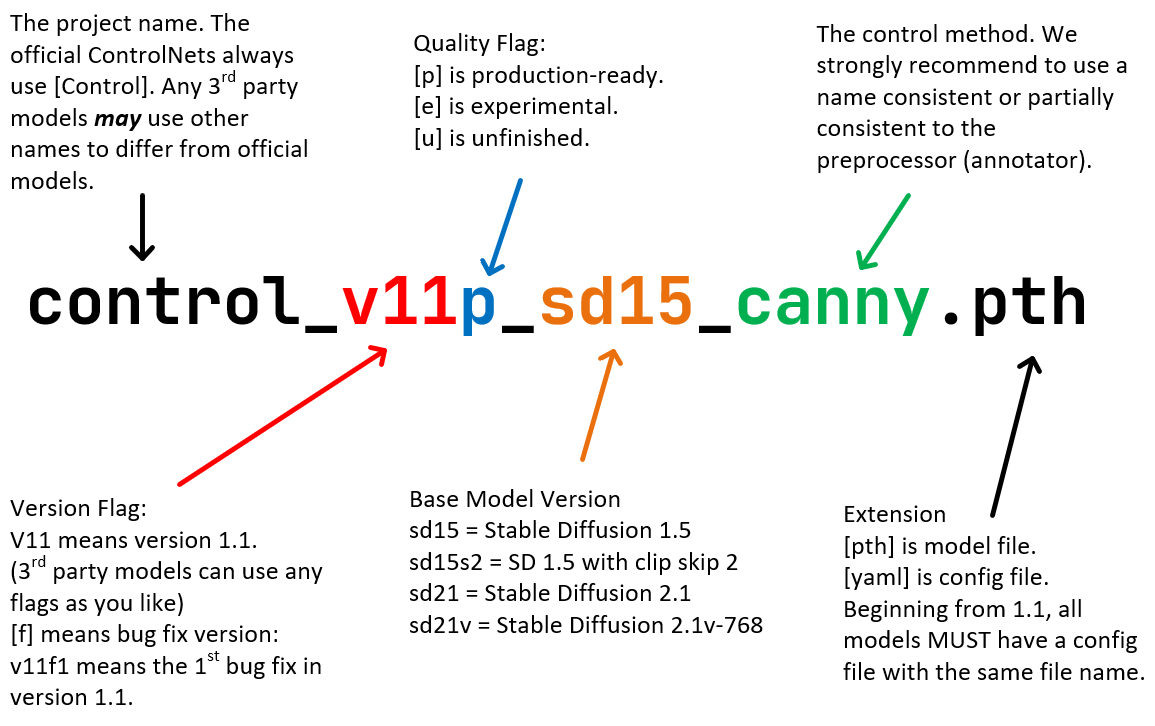
Figure 1. A diagram clarifying the Standard ControlNet Naming Rules (SCNNRs), exemplified by a ControlNet 1.1 model filename.
Model Architecture and Functionality
ControlNet SD 1.5 Soft Edge retains the neural network architecture established in the initial ControlNet release, facilitating consistency across the model family. This architecture supports integration with Stable Diffusion 1.5 and accommodates control-specific models via a modular system of explicit control channels. For Soft Edge, various preprocessors—such as SoftEdge_PIDI, SoftEdge_PIDI_safe, SoftEdge_HED, and SoftEdge_HED_safe—can generate soft edge maps from source images to guide the diffusion process.
The model utilizes these edge maps to provide fine-grained, boundary-focused conditioning during generation, allowing users to influence the layout and structure of generated imagery. The core model is distributed as control_v11p_sd15_softedge.pth alongside its configuration file, maintaining compatibility with Stable Diffusion's existing framework and resource ecosystem.
Training Data and Robustness Enhancements
A central advancement in ControlNet 1.1 Soft Edge over its predecessor involves improvements to training protocols and data integrity. The model was trained on edge maps generated by PIDI, HED, and their respective safe-filtered counterparts. The "safe" filtering approach removes problematic grayscale artifacts that previous estimators could hide within edge maps, which previously led to data leakage and compromised model generalization. Approximately 75% of training data underwent this filtering, leading to enhanced robustness and reliability in diverse scenarios.
Earlier issues in prior versions, including duplicated content, poor image quality, and inconsistent prompts, were systematically addressed. The result is a model less susceptible to edge-based overfitting and better equipped for high-fidelity, boundary-aware image synthesis.
Preprocessing Options and Use Cases
Preprocessing is a fundamental component of the Soft Edge workflow. SoftEdge_PIDI is generally recommended for its balanced performance, while SoftEdge_PIDI_safe and SoftEdge_HED_safe cater to scenarios demanding higher robustness against image artifacts. For situations requiring the highest possible output quality—with a potential trade-off in robustness—SoftEdge_HED can be employed.
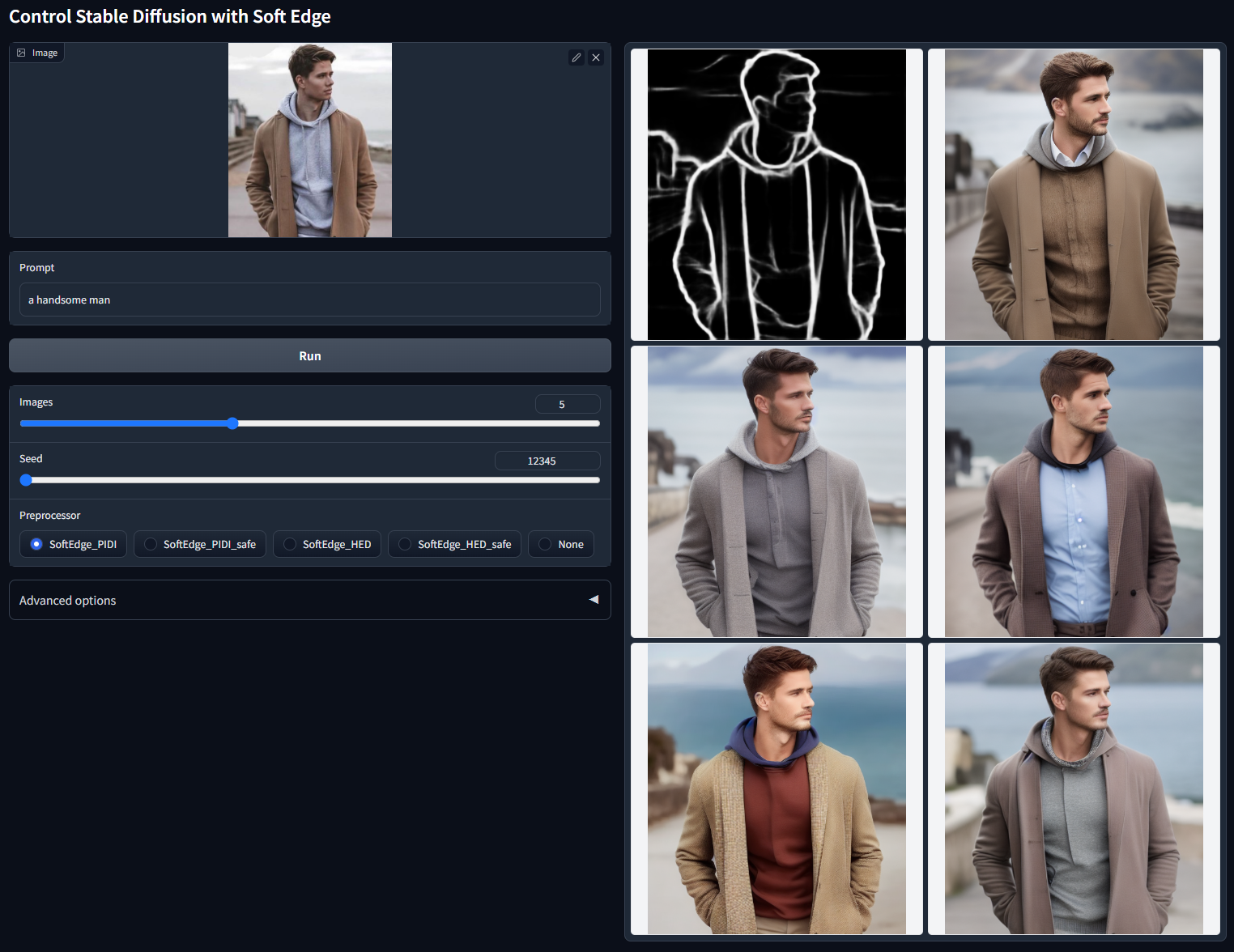
Figure 2. Batch test output for 'Control Stable Diffusion with Soft Edge', using the prompt 'a handsome man' (seed 12345). The image shows the soft edge processed control input and a set of generated outputs demonstrating the model's ability to follow soft edge guidance.
In practical applications, ControlNet SD 1.5 Soft Edge is used to guide generative processes where boundary information is important, including style transfer, image re-creation, and research scenarios demanding stable, boundary-aware outputs. The model demonstrates versatility comparable to depth-based control models and is suitable for both exploratory academic experiments and controlled image generation pipelines.
Position Within the ControlNet Family
ControlNet 1.1 encompasses 14 models, 11 of which are classified as production-ready and three as experimental. These adhere to uniform naming conventions (Standard ControlNet Naming Rules), ensuring clarity and consistency across the family. Alongside Soft Edge, the suite includes models for Canny, MLSD, Depth, Normal, Segmentation, Inpainting, Lineart, Anime Lineart, OpenPose, and Scribble. Each model is constructed using the same architectural framework, with improvements targeted at dataset quality and robustness to different control circumstances.
While every model in the family offers a specialized form of control, Soft Edge is specifically oriented towards scenarios requiring smooth, context-aware boundaries. Comparative improvements in other models include updates to depth processing with more robust estimators, physically meaningful normal maps (reference protocol), and expanded capabilities in pose, segmentation, and inpainting modalities.
Limitations and Technical Considerations
Despite improvements in robustness, the choice of preprocessor introduces a degree of trade-off between output fidelity and resistance to artifacts. Users should select configuration parameters best suited to their application requirements. The primary reference repository is designed for research and academic experimentation, and developers recommend against copying code directly into the Automatic1111 platform; instead, specialized plugins are suggested for broader workflow integration. Additionally, features such as Multi-ControlNet composition and tiled upscaling are officially supported only through Automatic1111 integrations.
Licensing and Availability
The explicit licensing terms for ControlNet SD 1.5 Soft Edge are not stated in the official documentation. However, the model and associated files are publicly distributed through HuggingFace, facilitating accessibility for research and noncommercial purposes.
Helpful Links
- ControlNet 1.1 Model Suite on HuggingFace
- HuggingFace: Stable Diffusion 1.5 Base Model
- Annotators and Preprocessors for ControlNet
- ControlNet A1111 Plugin (Mikubill/sd-webui-controlnet)
- Multi-ControlNet Support Documentation
- Technical Discussion: ControlNet Issues #255
- ControlNet Naming Rule Illustration
- ScanNet Protocol Reference
- Instruct Pix2Pix Training Dataset
- Control-LoRA Efficient ControlNet Variant
More in the Stable Diffusion 1 Family
Stable Diffusion 1.1
Stable Diffusion 1.5
OpenJourney v4
Photon
Juggernaut
Analog Diffusion
Dreamshaper
Realistic Vision
Meina Mix
epiCRealism
Absolute Reality
Cyber Realistic
MajicMIX Realistic
epiCPhotoGasm
ControlNet SD 1.5 Canny
ControlNet SD 1.5 IP2P
ControlNet SD 1.5 Depth
ControlNet SD 1.5 MLSD
ControlNet SD 1.5 Normal
ControlNet SD 1.5 Open Pose
ControlNet SD 1.5 Scribble
ControlNet SD 1.5 Segmentation
ControlNet SD 1.5 Inpaint
ControlNet SD 1.5 Line Art
ControlNet SD 1.5 Lineart Anime
ControlNet SD 1.5 Shuffle
ControlNet SD 1.5 Tile
ControlNet 1.5 IP Adapter
ControlNet 1.5 QR Code
Compatible Apps
ComfyUI
A node-based workflow builder for advanced image and video generation, ideal for custom pipelines, fine control, and power users.
Web UI · API
Image Generation · Video Generation
Stable Diffusion WebUI Forge
A faster, more experimental Stable Diffusion WebUI variant focused on improved resource use, quicker inference, and modern model support.
Web UI · API
Image Generation
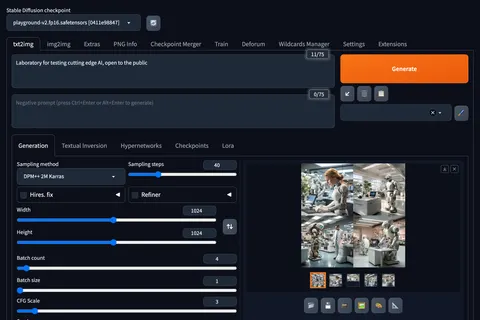
Stable Diffusion Web UI
A full-featured Stable Diffusion interface with deep controls for prompting, inpainting, extensions, and advanced image workflows.
Web UI · API
Image Generation · Video Generation
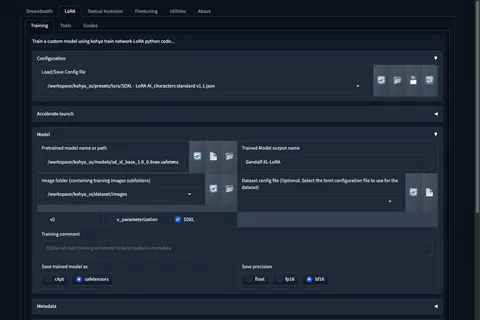
Kohya's GUI
Train LoRAs and fine-tunes for Stable Diffusion and FLUX with a popular GUI for Kohya-based training workflows.
Web UI · API
Fine-Tuning · Image Generation