lllyasviel
ControlNet SD 1.5 Segmentation
Downloads
Model Report
Overview
ControlNet SD 1.5 Segmentation is a neural network within the ControlNet 1.1 model suite, designed to provide detailed control over image generation through semantic segmentation maps. The model empowers users to direct the content and structure of images synthesized by Stable Diffusion by specifying segmentation masks as conditional inputs. With enhancements over its predecessor, including broader segmentation protocol support and improved robustness, ControlNet SD 1.5 Segmentation is widely used in research and creative applications focused on precise visual composition.
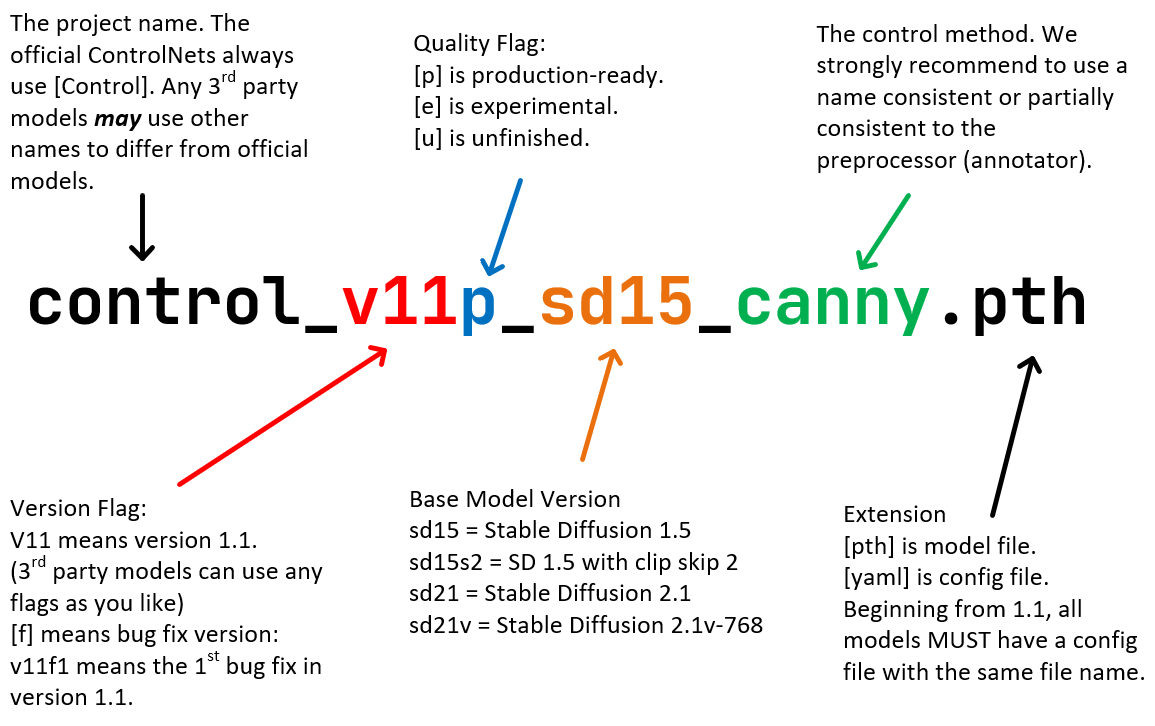
Figure 1. Diagram illustrating the standardized naming convention used for ControlNet 1.1 models, including SD 1.5 Segmentation.
Technical Capabilities
ControlNet SD 1.5 Segmentation enables Stable Diffusion 1.5 to generate images that closely adhere to input semantic segmentation maps. These maps, often produced by applying automated or manual segmentation protocols, divide an input image into distinct regions based on object categories or scene elements. By supplying such a mask, users achieve granular control over object placement, scene composition, and contextual consistency in the generated outputs.
A key advancement in this version is expanded support for the COCO and ADE20K segmentation protocols. This compatibility allows the model to recognize an increased palette of more than 182 segmentation colors from COCO, alongside continued support for approximately 150 colors from ADE20K, significantly broadening the range of controllable semantic categories. The internal encoder is specifically designed for multi-protocol compatibility, allowing for greater versatility and more comprehensive training with diverse data sources.
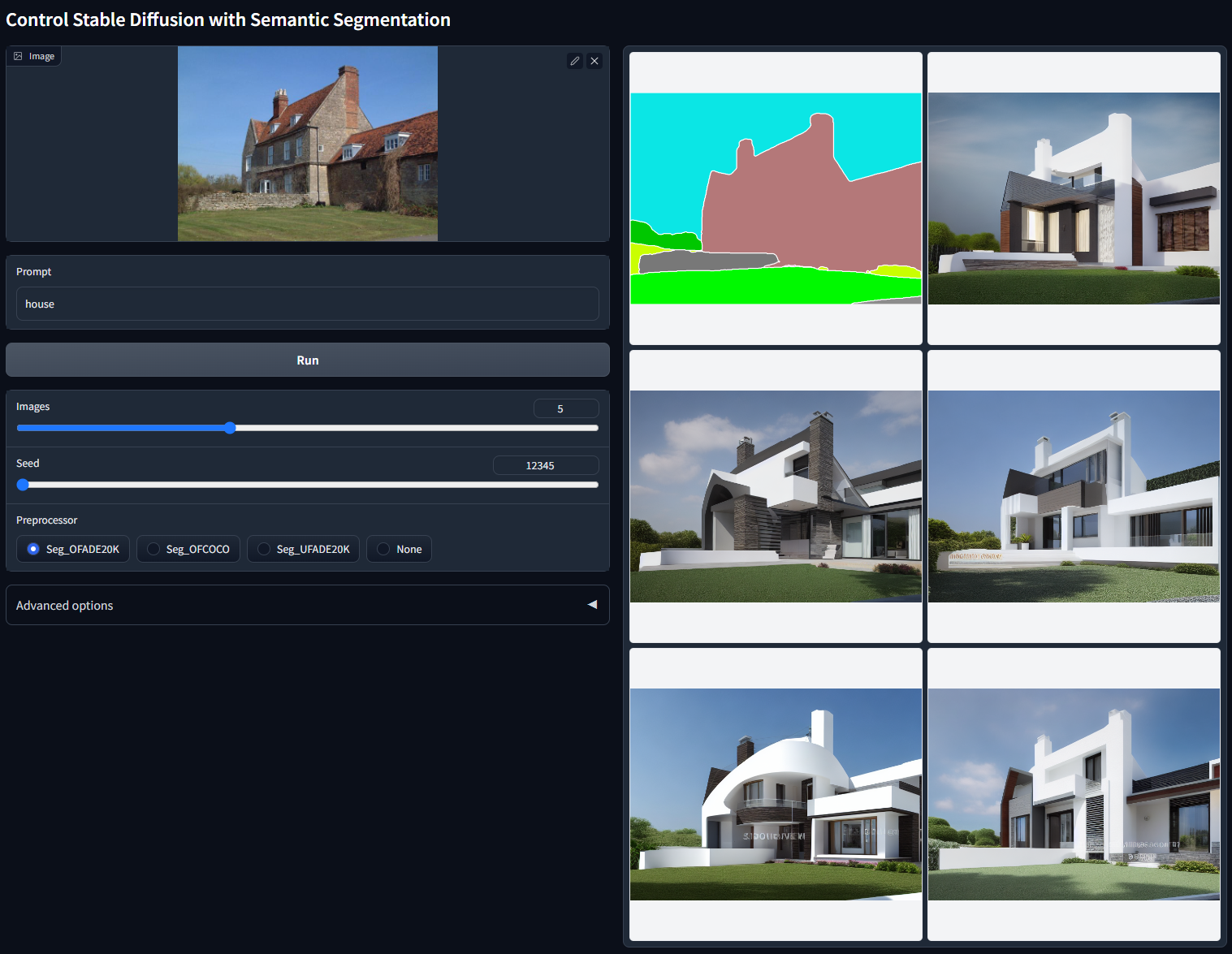
Figure 2. Batch test output of ControlNet SD 1.5 Segmentation using ADE20K segmentation protocol. Prompt: 'house', demonstrating adherence to semantic segmentation in image generation.
Architecture and Training
The model architecture maintained in ControlNet SD 1.5 Segmentation remains consistent with previous ControlNet releases, supporting backward compatibility and predictability for integrators. The primary model file is control_v11p_sd15_seg.pth with the configuration specified in control_v11p_sd15_seg.yaml. The developers have indicated that this architectural consistency will persist at least through version 1.5, streamlining updates and ensuring reliability within the ControlNet framework.
For training, the model employs a continual learning approach, initializing from weights of the previous Segmentation 1.0 version and refining on a merged dataset that includes both COCO and ADE20K semantic segmentation annotations. This approach leverages the diversity of object and scene labels available in these datasets, fostering generalization over a broader set of visual concepts. The ability to incorporate multiple segmentation protocols further enhances performance in heterogeneous real-world scenarios.
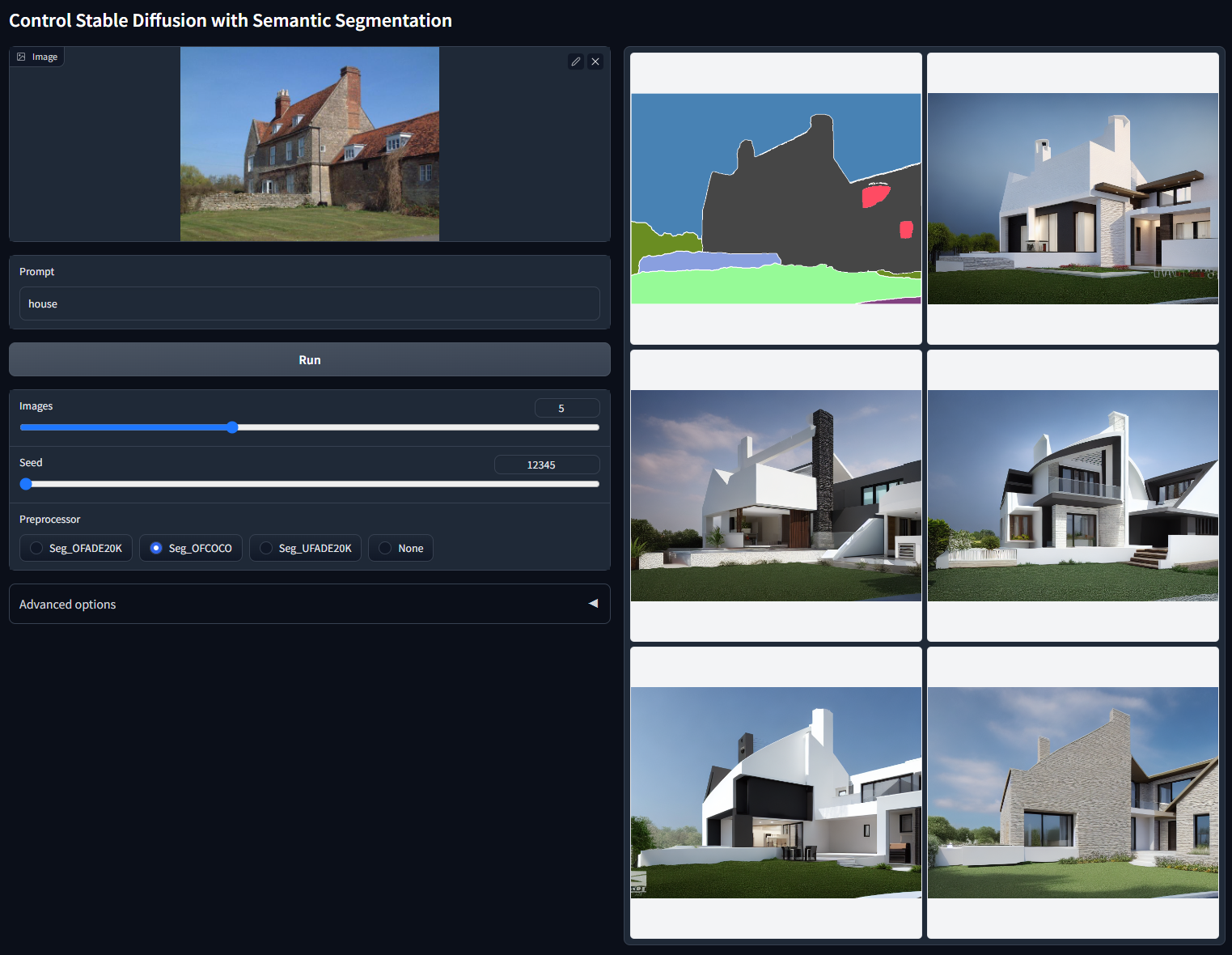
Figure 3. Batch test output of ControlNet SD 1.5 Segmentation using COCO segmentation protocol. Prompt: 'house'. The results demonstrate control over architectural features based on the segmentation map.
Performance Characteristics
While the developers have not published formal benchmark metrics, qualitative documentation and openly-shared tests suggest meaningful improvements in both versatility and reliability over the prior release. The incorporation of new segmentation protocols increases the model's semantic range, allowing for finer object separation and a larger array of scene layouts in synthesis. Batch test outputs, generated without cherry-picking, demonstrate that image generation remains tightly aligned with the structures and layouts defined by both ADE20K and COCO segmentation maps.
The model exhibits robustness in maintaining correspondences between segmented input regions and the resulting image's content. Test results indicate consistent translation of segmentation-defined objects and contexts—such as architectural details in house generation—across different seeds and input maps, enabling reproducible and precise outputs for varied use cases.
Applications and Integration
ControlNet SD 1.5 Segmentation is employed in tasks that demand explicit spatial and semantic control over image generation and manipulation. Its primary application is the guided synthesis of images where users define the layout and identities of objects in a scene via semantic masks. This approach is especially valuable for digital content creation, design prototyping, and research explorations into controllable generative models.
The model accepts segmentation masks produced by a range of automated pre-processors, including systems leveraging Oneformer ADE20K, Oneformer COCO, and Uniformer pipelines, as well as hand-crafted input masks. ControlNet's design supports seamless integration with the broader Stable Diffusion ecosystem and popular user interface extensions, facilitating workflows that combine multiple control modalities.
Family Models and Related Work
ControlNet 1.1 includes a suite of models, each architecturally unified with SD 1.5 Segmentation but specializing in different conditioning modalities. These include models for depth map control, normal map conditioning using Bae's method, edge detection, scribble interpretation, lineart, and more. Experimental variants such as Shuffle, Instruct Pix2Pix, and Tile introduce new paradigms for content reorganization and guided inpainting. This modularity allows users to chain or combine different control signals, subject to interface support, to achieve compounded compositional control.
Limitations and Considerations
Despite its expanded capabilities, some technical limitations are noted in the documentation. Official "multi-ControlNet" use—combining several control signals in parallel—is supported only in specific interface extensions, necessitating bespoke implementation for alternative environments. Certain models in the suite, such as Shuffle and Instruct Pix2Pix, are classified as experimental and may exhibit instability or require further fine-tuning. Additionally, custom integrations must adhere to architectural conventions such as applying global average pooling between encoder outputs and Stable Diffusion’s UNet layers for correct operation. The specific segmentation model for anime lineart further requires external weights not bundled with the main release.
Helpful External Links
- ControlNet-v1-1 on HuggingFace — Official repository for model and configuration files
- Stable Diffusion v1-5 on HuggingFace — Source for the Stable Diffusion 1.5 base checkpoint
- ControlNet Annotators — Annotator models for segmentation and other control signals
- ControlNet Extension for A1111 — Interface extension supporting ControlNet workflows and multi-control setups
- Bae's Surface Normal Map Method — Reference for the normal map estimation protocol used in related ControlNet models
More in the Stable Diffusion 1 Family
Stable Diffusion 1.1
Stable Diffusion 1.5
OpenJourney v4
Photon
Juggernaut
Analog Diffusion
Dreamshaper
Realistic Vision
Meina Mix
epiCRealism
Absolute Reality
Cyber Realistic
MajicMIX Realistic
epiCPhotoGasm
ControlNet SD 1.5 Canny
ControlNet SD 1.5 IP2P
ControlNet SD 1.5 Depth
ControlNet SD 1.5 MLSD
ControlNet SD 1.5 Normal
ControlNet SD 1.5 Open Pose
ControlNet SD 1.5 Scribble
ControlNet SD 1.5 Soft Edge
ControlNet SD 1.5 Inpaint
ControlNet SD 1.5 Line Art
ControlNet SD 1.5 Lineart Anime
ControlNet SD 1.5 Shuffle
ControlNet SD 1.5 Tile
ControlNet 1.5 IP Adapter
ControlNet 1.5 QR Code
Compatible Apps
ComfyUI
A node-based workflow builder for advanced image and video generation, ideal for custom pipelines, fine control, and power users.
Web UI · API
Image Generation · Video Generation
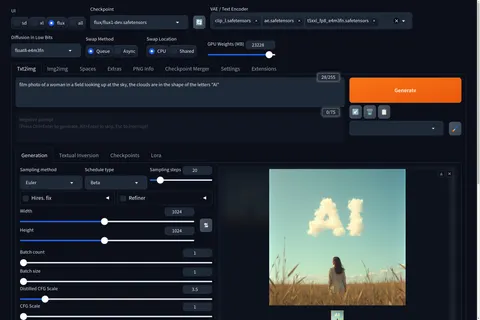
Stable Diffusion WebUI Forge
A faster, more experimental Stable Diffusion WebUI variant focused on improved resource use, quicker inference, and modern model support.
Web UI · API
Image Generation
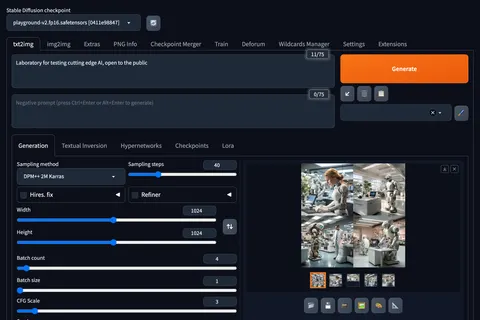
Stable Diffusion Web UI
A full-featured Stable Diffusion interface with deep controls for prompting, inpainting, extensions, and advanced image workflows.
Web UI · API
Image Generation · Video Generation
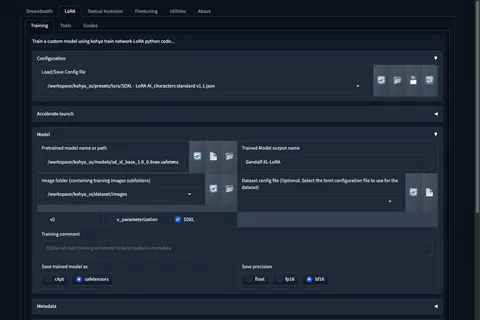
Kohya's GUI
Train LoRAs and fine-tunes for Stable Diffusion and FLUX with a popular GUI for Kohya-based training workflows.
Web UI · API
Fine-Tuning · Image Generation